































Microsoft CopilotPRESENTATION SYSTEMS FOR MICROSOFT 365 COPILOT

Copilot now builds every deck from your template. Make it one a model can learn from.

Brand Kits with strict brand adherence restrict Copilot to your approved template and layouts. That template is now the ceiling on every deck your employees generate. We audit it, rebuild it for Copilot, roll it out with your brand manager, and keep it on brand every quarter.

Starting at $4,500. Works with Microsoft 365 Copilot.

Microsoft Copilot
Built for Microsoft 365 Copilot
In PowerPoint and Word
  • Brand Kits set up and published
  • Strict brand adherence on
  • Templates Copilot can learn from

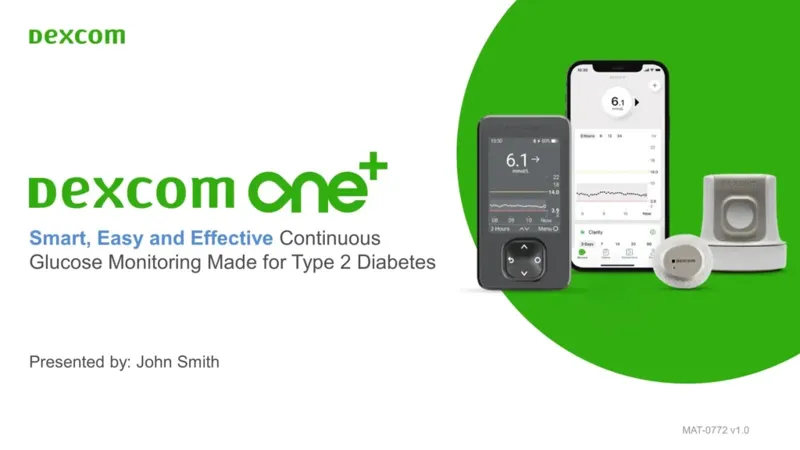
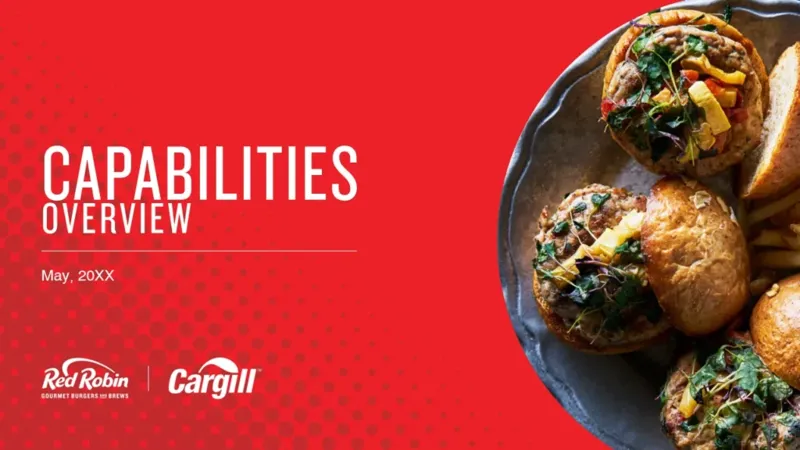
TRUSTED BY TEAMS AT

Microsoft CopilotHOW COPILOT BUILDS A DECK

Every Copilot deck starts from your Brand Kit.

  1. 1
    Someone asks Copilot for a deck
    In PowerPoint, an employee types a prompt or points Copilot at a document.
  2. 2
    Copilot opens your Brand Kit
    With strict brand adherence on, it uses only your kit’s templates and layouts, and employees can’t switch it off.
  3. 3
    It learns from your example slides, then your layouts
    Microsoft says Copilot uses your sample slides first, then your layouts. Plainly named layouts with real placeholders show it where titles, charts and pictures go.
  4. 4
    The deck is only as good as the template
    That is the part we build: a template, examples and Brand Kit a model can learn from.
Illustration of Copilot in PowerPoint with a Brand Kit selected. Not a Microsoft screenshot.
START WITH AN AUDIT

See what Copilot will learn from your template.

We score your template the way Copilot reads it and review your Copilot setup. You get findings in priority order and a recommendation, whether or not you hire us for the Build.

$4,500 one brand1–2 weeks · +$1,250 per added brand
Book a template audit
Microsoft Copilot What the audit looks at
Layout names
Are they plain names, like Title, Agenda and Timeline, as Microsoft recommends?
Placeholders
Is there a real slot for every title, chart, table and picture?
Example slides
Is every example safe for Copilot to copy?
Brand Kit setup
Templates, fonts, colors and images, and strict brand adherence.
What you get
  • Audit report and layout plan
  • Copilot setup review
  • A one-hour walkthrough
  • A proposal for the Build
WHY NOW

A template built for people teaches a model almost nothing.

In September 2026, Microsoft added strict brand adherence to Brand Kits. With it on, Copilot in PowerPoint uses only your kit's templates and layouts, and employees can't switch it off. Your template stops being a style guide and becomes the starting point of every deck.

01

Copilot copies the example slides

Copilot learns your template primarily from its example slides. Weak examples become weak decks.

02

Loose text boxes teach loose text boxes

Examples drawn freehand come back freehand, off the layout and off brand.

03

Unnamed layouts give it nothing to choose by

Microsoft recommends plain layout names like Title, Agenda and Timeline. "21_title-card-2" tells Copilot nothing.

04

No chart slot means nowhere for a chart

With strict adherence on, Copilot can't add placeholders. Missing layouts stay missing.

THE OFFER

SlideGenius Presentation Systems gets your Copilot on brand, in four steps.

Sold one step at a time. Start with a fixed-price audit and decide on the next step with evidence in hand.

STEP 1Start here

Audit

We score your template and review your Copilot setup. You get findings in priority order and a recommendation.

1–2 weeks
$4,500
one brand · +$1,250 per added brand

STEP 2

Build

We rebuild the layouts and example slides so a model can learn from them, and assemble your Brand Kit.

3–6 weeks
from $7,500
widescreen 16:9, first brand
STEP 3

Roll out

We publish the Brand Kit with your brand manager, strict brand adherence on, and train your team.

1–2 weeks
from $1,900
one-time
STEP 4

Oversight

Every quarter we re-run the tests, refresh examples and send you a written report with a review call.

Every quarter
$3,000 a quarter
Light: $2,050 a quarter
HOW WE MANAGE IT

Your Copilot rollout runs as one shared checklist.

Every step has an owner: SlideGenius, your team, or your Microsoft 365 admin. You always know what's done, what's next, and who has it.

  • Seven steps, from Brand Kit confirmed to a staff walkthrough
  • Quarterly oversight: the same tests, re-run, and a written report
  • Drift checks as your teams add slides and Microsoft changes Copilot
Copilot rollout
[YOUR COMPANY] · 5 of 7 steps done
Setting up
  1. Brand Kit confirmedSlideGeniusDone
  2. Templates finalSlideGeniusDone
  3. Admin namedYour teamDone
  4. Package sentSlideGeniusDone
  5. Brand Kit published in CopilotYour teamDone
  6. Templates loaded in PowerPoint and WordM365 adminNext
  7. Staff walkthroughSlideGenius
Illustration of the rollout checklist. Owners and progress are examples.
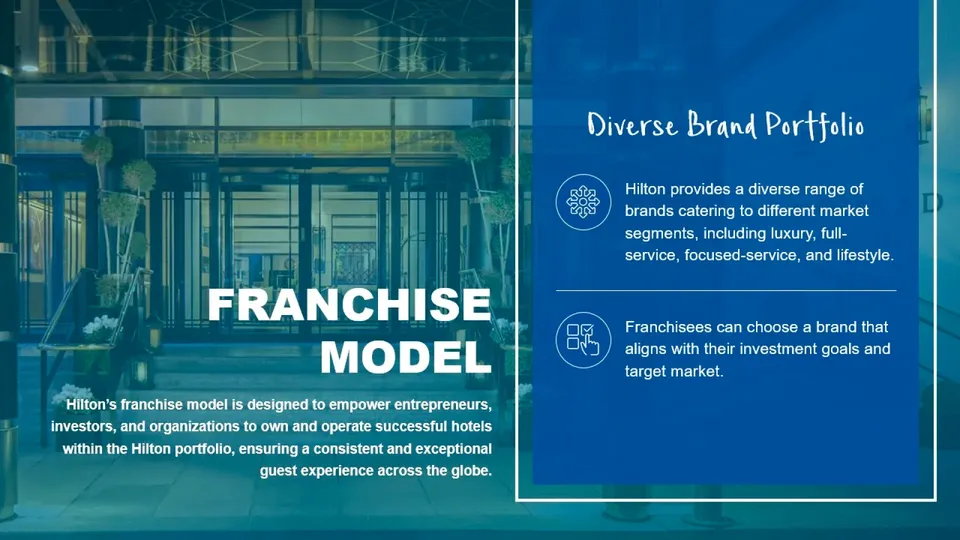
What our designers see in PowerPoint: our in-house add-in, shown with slides from our published Hilton case study.
HOW WE MANAGE IT

One system behind every deck we make for you.

Our proprietary platform puts your Brand Kit, your art-direction rules and every slide we've delivered to you in front of our designers, on every job.

How we manage it
NEW SERVICERebrand

Changing your brand? We move every deck with it, and Copilot too.

Rebrand coordinates your whole presentation rebrand and replaces the email, spreadsheets and file chaos it usually runs on.

  1. 1ScanWe find every deck still on the old brand.
  2. 2Plan and quoteBy tier: light, standard, rebuild or self-serve.
  3. 3RebrandYou approve each deck before it's done.
  4. 4Roll out to CopilotSo new decks start on the new brand.
Ask about a rebrandQuoted after the scan, priced by tier.
QUESTIONS

What teams ask before the audit.

See pricing and add-ons
What is strict brand adherence?

A Brand Kit setting Microsoft added in September 2026. With it on, Copilot in PowerPoint uses only your kit’s templates and layouts, and employees can’t switch it off.

Do we need Microsoft 365 Copilot?

Yes. Brand Kits and strict brand adherence are part of Microsoft 365 Copilot. We prepare your template and Brand Kit; your team publishes the kit with us during the Roll out.

Who does what during the Roll out?

We prepare the template and the Brand Kit. Your brand manager publishes the kit with us, and your Microsoft 365 admin loads the templates. Every step has an owner on one shared checklist.

How long does it take?

The Audit takes 1–2 weeks, the Build 3–6 weeks and the Roll out 1–2 weeks. Oversight runs every quarter after that.

Do we have to buy all four steps?

No. It is sold one step at a time. The Audit starts at $4,500 and its findings are yours to act on, whether or not you hire us for the Build.

We have more than one brand. Does that work?

Yes. Each added brand is +$1,250 on the Audit. See pricing for the other steps.

Microsoft CopilotPRESENTATION SYSTEMS FOR MICROSOFT 365 COPILOT

Copilot now builds every deck from your template. Make it one a model can learn from.

Brand Kits with strict brand adherence restrict Copilot to your approved template. We audit it, rebuild it for Copilot, roll it out with your brand manager, and keep it on brand every quarter.

Starting at $4,500. Works with Microsoft 365 Copilot.

Microsoft Copilot
Built for Microsoft 365 Copilot
In PowerPoint and Word
  • Brand Kits set up and published
  • Strict brand adherence on
  • Templates Copilot can learn from

TRUSTED BY TEAMS AT

WHAT WE DO

The presentation team behind the brands you know.

Microsoft CopilotHOW COPILOT BUILDS A DECK

Every Copilot deck starts from your Brand Kit.

  1. 1
    Someone asks Copilot for a deck
    In PowerPoint, an employee types a prompt or points Copilot at a document.
  2. 2
    Copilot opens your Brand Kit
    With strict brand adherence on, it uses only your kit’s templates and layouts, and employees can’t switch it off.
  3. 3
    It learns from your example slides, then your layouts
    Microsoft says Copilot uses your sample slides first, then your layouts. Plainly named layouts with real placeholders show it where titles, charts and pictures go.
  4. 4
    The deck is only as good as the template
    That is the part we build: a template, examples and Brand Kit a model can learn from.
Illustration of Copilot in PowerPoint with a Brand Kit selected. Not a Microsoft screenshot.
START WITH AN AUDIT

See what Copilot will learn from your template.

We score your template the way Copilot reads it and review your Copilot setup. You get findings in priority order and a recommendation, whether or not you hire us for the Build.

$4,500 one brand1–2 weeks · +$1,250 per added brand
Book a template audit
Microsoft Copilot What the audit looks at
Layout names
Are they plain names, like Title, Agenda and Timeline, as Microsoft recommends?
Placeholders
Is there a real slot for every title, chart, table and picture?
Example slides
Is every example safe for Copilot to copy?
Brand Kit setup
Templates, fonts, colors and images, and strict brand adherence.
What you get
  • Audit report and layout plan
  • Copilot setup review
  • A one-hour walkthrough
  • A proposal for the Build
WHY NOW

A template built for people teaches a model almost nothing.

Since September 2026, strict brand adherence keeps Copilot in PowerPoint on your kit's templates and layouts, and employees can't switch it off.

  1. 01
    Copilot copies the example slides
    Weak examples become weak decks.
  2. 02
    Loose text boxes teach loose text boxes
    Freehand examples come back freehand.
  3. 03
    Unnamed layouts give it nothing to choose by
    "21_title-card-2" tells it nothing.
  4. 04
    No chart slot means nowhere for a chart
    Copilot can't add placeholders.
THE OFFER

Presentation Systems gets your Copilot on brand, in four steps.

Sold one step at a time. Start with a fixed-price audit.

1 · Audit

Start here

Score the template, review your Copilot setup. 1–2 weeks.

$4,500 one brand · +$1,250 per added brand

2 · Build

Rebuild layouts, example slides and your Brand Kit. 3–6 weeks.

from $7,500 widescreen 16:9

3 · Roll out

Publish the kit with your brand manager. 1–2 weeks.

from $1,900

4 · Oversight

Re-test, refresh and report every quarter.

$3,000 a quarter Light $2,050
See pricing and add-ons
HOW WE MANAGE IT

Your Copilot rollout runs as one shared checklist.

Every step has an owner: SlideGenius, your team, or your Microsoft 365 admin.

Copilot rollout
5 of 7 steps done
Setting up
  1. Brand Kit confirmedDone
  2. Templates finalDone
  3. Admin namedDone
  4. Package sentDone
  5. Brand Kit published in CopilotDone
  6. Templates loadedNext
  7. Staff walkthrough
Illustration. Progress is an example.

Then quarterly oversight: the same tests re-run, drift checked, and a written report.

HOW WE MANAGE IT

One system behind every deck we make for you.

Our proprietary platform puts your Brand Kit, your rules and every slide we've made for you in front of our designers.

Our in-house add-in, shown with slides from our published Hilton case study.
How we manage it
NEW SERVICERebrand

Changing your brand? We move every deck with it, and Copilot too.

  1. 1Scan for decks on the old brand
  2. 2Plan and quote by tier
  3. 3Rebrand with your approval on each deck
  4. 4Roll out to Copilot so new decks stay on brand
Ask about a rebrand
QUESTIONS

What teams ask before the audit.

See pricing and add-ons
What is strict brand adherence?

A Brand Kit setting Microsoft added in September 2026. With it on, Copilot in PowerPoint uses only your kit’s templates and layouts, and employees can’t switch it off.

Do we need Microsoft 365 Copilot?

Yes. Brand Kits and strict brand adherence are part of Microsoft 365 Copilot. We prepare your template and Brand Kit; your team publishes the kit with us during the Roll out.

Who does what during the Roll out?

We prepare the template and the Brand Kit. Your brand manager publishes the kit with us, and your Microsoft 365 admin loads the templates. Every step has an owner on one shared checklist.

How long does it take?

The Audit takes 1–2 weeks, the Build 3–6 weeks and the Roll out 1–2 weeks. Oversight runs every quarter after that.

Do we have to buy all four steps?

No. It is sold one step at a time. The Audit starts at $4,500 and its findings are yours to act on, whether or not you hire us for the Build.

We have more than one brand. Does that work?

Yes. Each added brand is +$1,250 on the Audit. See pricing for the other steps.

Find out what Copilot learns from your template.

The audit scores your template, reviews your Copilot setup and gives you findings in priority order. Starting at $4,500, one to two weeks.

Starting at $4,500, one to two weeks.
  • $4,500 for one brand · +$1,250 per added brand
  • Report, layout plan, Copilot setup review, a one-hour walkthrough
See pricing

We reply within hours. We'll only use your details to reply to your request.

See pricing